Export Oura Data Before You Cancel (2026)
Updated Oct 13, 2026
The Oura ring is one of the deepest recovery-and-sleep trackers you can wear, and its export is one of the cleanest in the consumer-fitness space. Every night's sleep scored, every day's readiness calculated, every heart-rate reading captured, and (on Gen 3+) nightly temperature trends. All exportable as plain CSVs you can open in any spreadsheet. This guide walks through both the app and web paths, what each CSV contains, and how to keep the archive private.
Export at a glance
Archive file map
Top-level structure of the export. Each entry is a file or directory with its format badge and what it contains.
daily_sleep.csvCSVsleep.csvCSVdaily_readiness.csvCSVdaily_activity.csvCSVheart_rate.csvCSVworkout.csvCSVdaily_stress.csvCSVtemperature.csvCSVtags.csvCSVWhat the Oura Ring records about you
- Sleep: score (0–100), stage-by-stage breakdown (Awake / Light / Deep / REM), duration, efficiency, latency, timing, and contributors (restfulness, deep sleep, REM sleep, light sleep)
- Readiness: daily score (0–100) based on sleep, prior-day activity, HRV balance, body temperature, and recovery index. With per-contributor scores
- Activity: activity score, steps, calories burned, "stay active" / "move every hour" rings, training frequency, recovery time, and METs
- Heart rate: continuous resting HR and intraday readings throughout wear time
- HRV: resting HRV (RMSSD-based) computed during sleep, used for the readiness calculation
- Workouts: type, duration, intensity (low / moderate / high), heart rate, calories
- Body temperature: nightly skin-temperature deviation trend (Gen 3+, requires "Temperature Trends" enabled)
- Daily Stress (newer rings, firmware 2.x+). Daytime HRV-derived stress score
- Sleep periods: multiple sleep sessions per day (naps + main sleep) when present
- Account metadata: profile, ring firmware, paired device, subscription tier
Two paths: Membership Hub versus Oura on the Web
- Membership Hub: log in to the Oura Membership Hub at oura.com > click your profile > Export data > Request your data. The primary export flow as of 2026
- Oura on the Web (Trends): cloud.ouraring.com > Trends > choose metrics > Download Data. Produces per-metric downloads; being discontinued later in 2026, so prefer the Membership Hub path
- Both produce a ZIP of CSVs; the Membership Hub export is the more complete option and is the path Oura currently documents
- Either works on your account regardless of membership tier. Oura documents the flow as available to all users
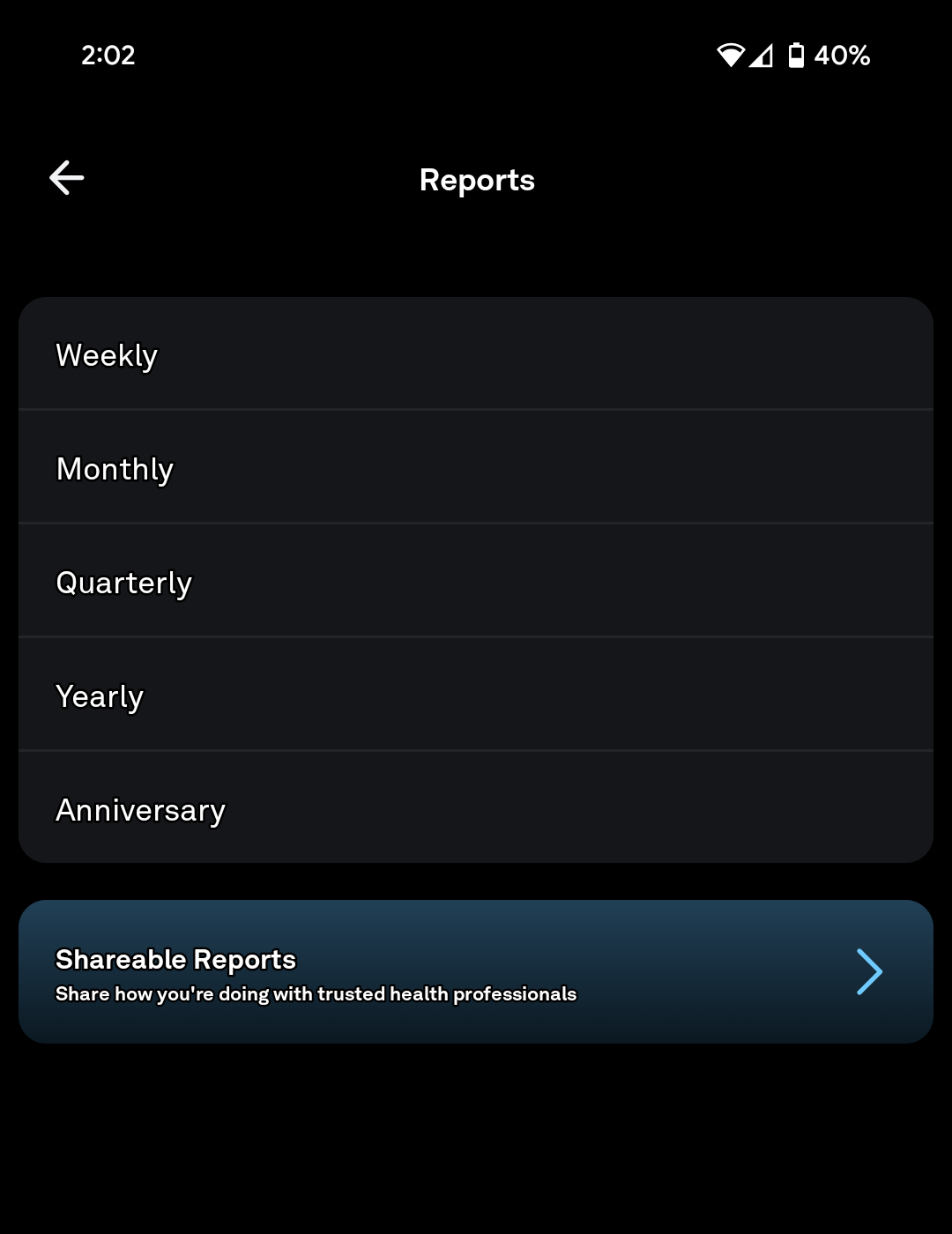
Native export: step by step
- Sign in at oura.com (the Oura Membership Hub) from a desktop browser.
- Click your profile icon in the top right.
- Choose Export data from the menu.
- Click "Request your data".
- Pick a date range, or "All Time" for the full archive.
- Confirm the request: Oura prepares the export and emails you when ready. Oura says this can take up to 10 days from the time you request it, so do not cancel before the ZIP actually lands.
- Tap the link in the email and save the ZIP. Oura does not publish how long the download link stays live, so grab it as soon as it arrives.
- Alternative: per-metric download from cloud.ouraring.com > Trends > choose metrics > Download Data. Note: this per-metric flow is being discontinued later in 2026.
If you are cancelling: export first, and export early
Oura does not ask you to export your data before you cancel. Nothing in the cancellation flow, the membership page or the terms mentions it. That is the reason this section exists.
The good news is that cancelling is far less destructive than it feels. Cancelling stops the billing and leaves your data alone. Deleting the account is the destructive one.
- Cancelling does not delete your data. Oura puts it plainly: "If you choose to cancel your Oura Membership, your data will not automatically be deleted."
- Deleting your account does, permanently. Oura says both the account and the data are permanently deleted, and there is no way to wipe the data while keeping the account.
- You keep the app but lose your history. Without an active membership you can still see the three daily scores (Readiness, Activity, Sleep), your ring battery, profile and settings. The history does not come with them.
- You can still download after cancelling. Oura says you cannot access the Oura API without a membership, but you can still download your personal data through the Membership Hub.
- Re-enrolling brings it all back. Oura says your data becomes accessible again immediately once you re-enroll.
- Request it before you cancel, not after. The export is asynchronous and can take up to 10 days. Cancelling first is recoverable in theory, but there is no reason to add a waiting period to a decision you have already made.
- There is no published retention window. Oura ties retention to your account lifecycle and says data is deleted once it is no longer needed, with carve-outs for tax and legal record-keeping. No number is published, so treat your own export as the only copy you control.
What is inside the ZIP: one CSV per metric
- daily_sleep.csv: one row per day: sleep score, contributors, total sleep, efficiency, latency, timing, awake/light/deep/REM minutes, bed/wake times
- sleep.csv: per-sleep-session rows: type (main / nap), score, stages with timestamps, HRV during sleep
- daily_readiness.csv: readiness score plus per-contributor scores (previous day activity, sleep balance, body temperature, HRV balance, recovery index, resting heart rate)
- daily_activity.csv: activity score, steps, calories, active/regular/inactive minutes, training frequency, recovery time
- heart_rate.csv: continuous readings while wearing the ring (timestamped BPM)
- workout.csv: workout sessions: type, duration, intensity, calories, HR, source (manual / auto-detected)
- daily_stress.csv: daytime stress readings (newer firmware)
- temperature.csv: nightly skin-temperature deviations (Gen 3+, requires Temperature Trends enabled)
- tags.csv: any custom tags you added (alcohol, late meal, illness, etc.). Useful for correlating readiness drops
Inside sleep.csv: what each row looks like
- One row per sleep session (main sleep and naps are separate rows when both exist)
- Score columns: sleep score overall, plus contributions (depth, efficiency, latency, rem, restfulness, timing)
- Stage columns: total minutes in Awake / Light / Deep / REM, plus bedtime and wake time
- Heart rate during sleep: average, lowest, and a derived "HRV" column
- Date column is the local-date the sleep started. Use that for joining other wearables
- Tags column carries any tag you set (alcohol, late meal, illness, travel). Usually the most contextually useful column
HRV and body temperature: the longitudinal metrics that matter
- HRV (RMSSD) is computed nightly from the heart-rate signal during deep sleep. Values typically range 20–100 ms for adults; trending up over weeks is a positive adaptation
- Body temperature deviation (Gen 3+ and firmware 2.5+) tracks nightly skin temperature vs your personal baseline; useful for fertility tracking, illness detection, and recovery monitoring
- Both are best analyzed as trends over 30+ days, not single-day values. Keep multi-year archives for the most useful longitudinal analyses
- If you are tracking fertility, body temperature is the most sensitive column. Encrypt the export before uploading anywhere
Combining Oura with Apple Health, Fitbit, Strava, Garmin
- Enable Oura's Apple Health sync. Daily Sleep, HRV, and Readiness scores flow into Apple Health automatically, where other apps can read them
- Oura does not natively sync to Strava or Garmin. For activity, rely on the ring's auto-detected workouts and Oura's Apple Health bridge
- For sleep combined with training, the Oura CSV's sleep_date column joins cleanly to <a href="/guides/fitbit-data-export">Fitbit</a>, <a href="/guides/how-to-export-strava-data">Strava</a>, <a href="/guides/how-to-export-garmin-connect-data">Garmin</a>, and <a href="/guides/how-to-export-myfitnesspal-data">MyFitnessPal</a> exports keyed by date
- For serious analysis, load all CSVs into a notebook (pandas / R) keyed by date. You can correlate readiness drops with workouts, alcohol tags, or nutrition days
- Migrating from Whoop: <a href="/guides/whoop-to-oura">Whoop → Oura migration guide</a>
Where to store it
- Store in a folder named oura-2026-08
- The temperature.csv file is the most sensitive. Encrypt the folder before uploading anywhere
- Local encrypted copy on an external SSD (portable SSD) using Cryptomator
- Off-site encrypted copy in ProtonDrive (ProtonDrive) or pCloud (pCloud)
- Annual cadence is sufficient: Oura CSVs are small, and the data does not change retrospectively
Quick version
If you want the short checklist instead of the full guide, use the service page.
Related guides
FAQ
Does downloading my Oura data delete it?
No: the export creates a copy; Oura continues to keep your data on their servers unless you separately request account deletion.
Should I use the app or cloud.ouraring.com for the export?
Both produce the same ZIP. Cloud.ouraring.com is generally the more reliable option for continuous heart rate and detailed sleep-stage data, especially on older rings.
What format is the Oura export in?
CSV: one file per metric, all bundled into a single ZIP. Files open directly in Excel, Google Sheets, pandas, and R.
How far back does the export go?
To the day you paired the ring. Picking "All Time" in the export dialog returns your complete history.
Does the export include body temperature?
Yes: for Gen 3+ rings on firmware 2.5+ with Temperature Trends enabled, the temperature.csv file contains nightly skin-temperature deviations vs your personal baseline.
Does the export include my custom tags (alcohol, late meal, illness)?
Yes: tags.csv captures every custom tag you added and the date it was applied. Often the most useful column for understanding readiness drops.
Is Oura data useful for fertility tracking or menstrual cycle analysis?
Yes: body temperature deviation in particular is widely used as a fertility signal. The export is granular enough for retrospective cycle analysis, but keep the file encrypted before uploading anywhere.
Can Oura data be moved to Apple Health or another wearable?
Oura's Apple Health sync exports daily Sleep, HRV, and Readiness scores. There is no native sync to Garmin, Strava, or other wearables. Use Apple Health as the central hub.
What happens to my Oura data if I cancel my membership?
Nothing is deleted. Oura states that cancelling your membership does not automatically delete your data, and that deleting the account does delete it permanently. Cancelling keeps your data; deleting the account is the irreversible one.
Can I still export my Oura data after cancelling?
Yes. Without an active membership you can still download your personal data through the Membership Hub, even though you lose access to the Oura API and to your history in the app.
How long does an Oura export take?
Oura says it can take up to 10 days from the time you request it. Request the export before you cancel, or you will be waiting on a process you have already started.
Last verified: Oct 13, 2026. Steps checked against support.ouraring.com. Report an outdated step →